Your Complete Guide to QR Code Vinyl Stickers
At its core, a QR code vinyl sticker is a tough, scannable decal that creates a direct link between a physical object and your online world. By combining the resilience of vinyl with the instant access of a QR code, they become a seriously powerful way to engage with people in real life. It’s this smart combination that makes them perfect for almost anything, from product labels to storefront promotions.
What Makes QR Code Stickers a Modern Marketing Powerhouse?
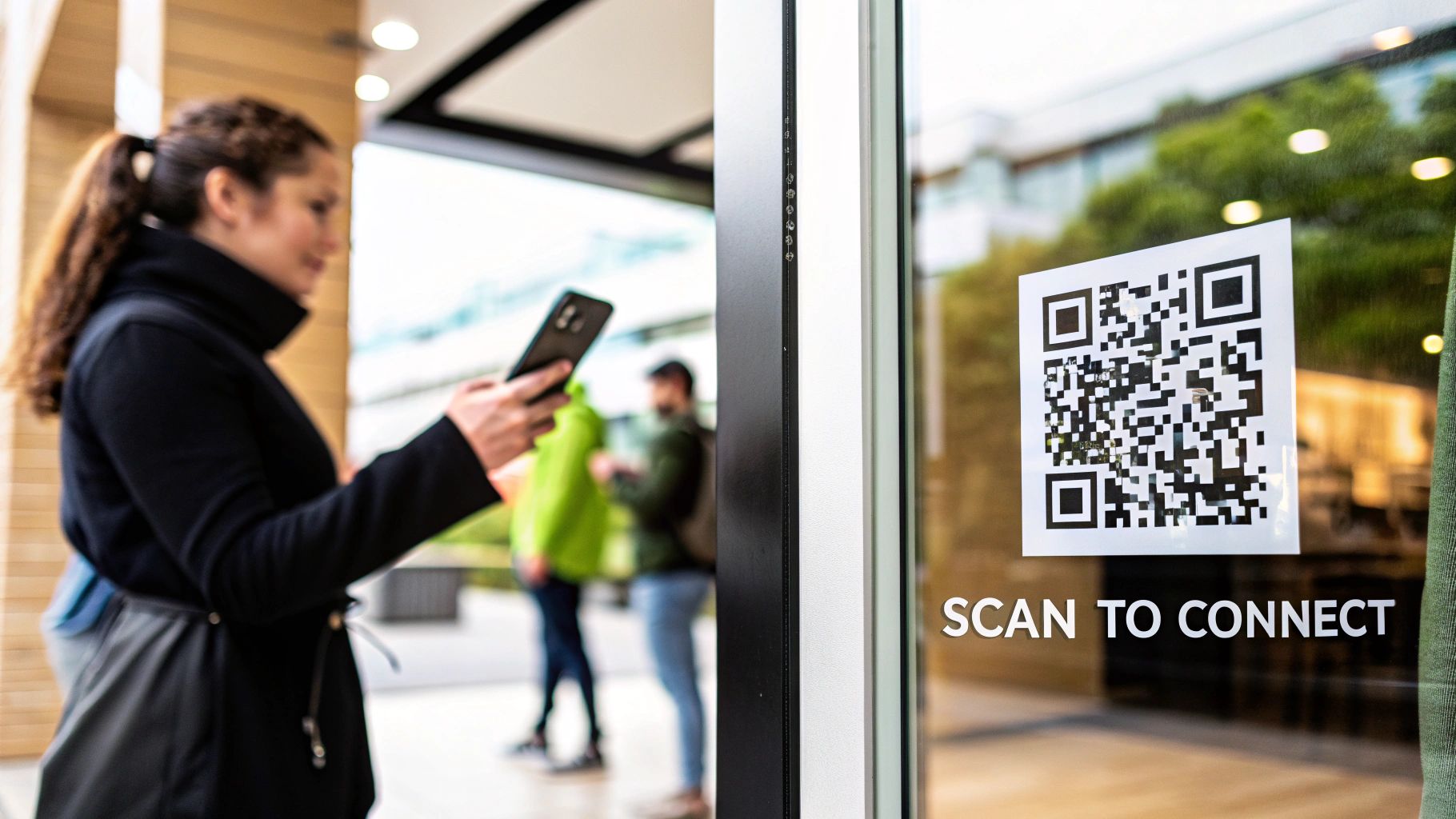
Think of a QR code vinyl sticker as a real-world hyperlink. Just like you click a link online to go to a new page, your customers can scan a sticker on a poster, a piece of equipment, or a window display to jump directly to your website, a coupon, or your social media. It's an instant connection.
But here’s the key difference: unlike a paper label that gets destroyed by a bit of rain or fades in the sun, these stickers are built to last. The vinyl itself is a rugged, weather-resistant material that shields the code, making sure it scans perfectly for months or even years. This kind of durability is exactly why so many businesses are putting them to work.
The Power of Two Worlds Combined
The real magic of a QR code vinyl sticker is how it merges two different worlds. It seamlessly connects the tangible, offline experience of a customer with your dynamic, online presence, closing the gap between seeing your brand and actually engaging with it.
It opens up all kinds of practical possibilities. For instance, a customer can:
- Scan a sticker on their coffee cup to rack up loyalty points.
- Scan a decal on a new appliance to pull up the video tutorial.
- Scan a code on a restaurant table to see the menu and pay the bill right from their phone.
This immediate, friction-free connection is what makes them so effective. You’re not asking someone to type in a complicated URL or search for you on Instagram; you’re giving them a direct shortcut, right then and there.
Let's quickly break down the core benefits these stickers offer.
Core Advantages of QR Code Vinyl Stickers
| Benefit | Description |
|---|---|
| Durability | Made from weather-resistant vinyl, they withstand rain, sun, and scuffs, ensuring the code remains scannable. |
| Instant Engagement | Provides a zero-friction way for customers to connect with digital content, special offers, or social media. |
| Versatility | Can be applied to almost any surface—windows, products, machinery, vehicles—turning them into interactive touchpoints. |
| Cost-Effective | A low-cost marketing tool with a high potential for return on investment through direct customer action. |
| Data-Driven | Dynamic QR codes allow you to track scan data, giving you valuable insights into customer behavior and campaign performance. |
These advantages work together to create a simple yet incredibly effective tool for any business.
An Exploding Market Trend
This isn’t just a niche trend; it’s a massive market shift. The global market for QR code labels was valued at USD 2.56 billion and is on track to hit USD 5.06 billion by 2032. A huge part of that growth is driven by industries moving away from flimsy paper and toward durable films like vinyl for any application that needs to stand up to the elements. You can explore more data on this expanding market to see just how quickly it's growing.
Key Takeaway: The pairing of rugged vinyl with the instant digital connection of a QR code creates a marketing tool that is both incredibly durable and highly effective at driving customer action on the spot.
By using these stickers, you can turn just about any physical surface into an interactive part of your brand. It’s more than just a label—it's a direct line of communication you’re opening with your customers.
Choosing the Right Vinyl for Durability and Scannability
The material you pick for your QR code vinyl stickers is more important than you might think. It’s the foundation for everything. Think of it like this: you wouldn't use indoor paint on the outside of your house. In the same way, choosing the right vinyl and finish ensures your sticker not only looks sharp but also holds up to its environment and scans flawlessly, every time.
This one decision boils down to two critical factors: durability (how it handles sun, rain, and scuffs) and scannability (how easily a phone can read it without errors). Get this right, and you've got a sticker that works for years, not just a week.
First Up: What's Your Sticker's Job?
Before you even think about colors or finishes, you need to decide on the adhesive—the "glue" holding your sticker in place. Are you looking for something that lasts forever, or something temporary? It's basically the difference between super glue and a Post-it note.
For QR code stickers, you’ve got two main choices:
- Permanent Adhesive: This is the workhorse for long-term jobs. It forms a powerful bond meant to stay put on things like machinery, outdoor signs, or permanent product packaging. You can get it off, but it’ll take some serious effort. It's not designed for a quick swap.
- Removable Adhesive: This is your go-to for anything temporary. Think promotional campaigns, seasonal window displays, or event signage. It’s designed for a clean, residue-free removal, usually within 6-12 months. Perfect when you need to change your message or want to protect the underlying surface.
It's all about context. A QR code linking to a machine's service manual needs a permanent adhesive. A sticker on a shop window advertising a flash sale? That's a job for removable.
The Finish: More Than Just Good Looks
After settling on the adhesive, it’s time to pick the finish. This is the thin protective layer, or laminate, that sits on top of the printed QR code. It doesn't just affect how the sticker looks; it dramatically impacts its scannability, especially when light comes into play.
The market for durable, custom decals is exploding—vinyl stickers now account for about 60% of all sticker production. A huge driver for this is the demand for interactive tools like QR codes. In fact, the market is projected to more than double from USD 1.3 billion to nearly USD 3 billion in the next decade. Discover more insights about the growing stickers market. With that much growth, you can bet that getting the little details, like the finish, absolutely right is what separates the pros from the amateurs.
Pro Tip: Always think about where the sticker will live before you choose a finish. A glossy sticker might look incredible indoors, but place it in direct sunlight, and the glare can make it completely un-scannable.
Let's look at the most common options and see what makes sense for your project.
Vinyl Material and Finish Comparison
Choosing between vinyl types and finishes can feel overwhelming, but it's simpler when you break it down. This table gives you a side-by-side look to help you decide what's best for your QR code stickers.
| Feature | Gloss Finish | Matte Finish | Permanent Adhesive | Removable Adhesive |
|---|---|---|---|---|
| Best For | Indoor use, vibrant graphics, product labels in controlled lighting. | Outdoor use, scannability in bright light, a modern, non-reflective look. | Long-term applications, equipment, outdoor signage, warning labels. | Short-term promotions, window displays, events, temporary branding. |
| Scannability | Poor in direct light. The reflective surface can cause glare and scan errors. | Excellent. Diffuses light, preventing glare and ensuring reliable scans. | Not applicable (adhesive choice). | Not applicable (adhesive choice). |
| Visual Appeal | Shiny, high-contrast, makes colors pop. Looks wet or polished. | Smooth, satin-like, and sophisticated. Mutes colors slightly for a premium feel. | Not applicable (adhesive choice). | Not applicable (adhesive choice). |
| Durability | Very durable, easy to wipe clean, highly resistant to moisture. | Also very durable, but can show fingerprints or scuffs more easily than gloss. | Very strong bond, weather-resistant, designed to last for years. | Clean removal (usually up to 1 year), not for harsh conditions. |
| Primary Drawback | Glare. Can make the QR code unreadable in many common situations. | Can appear less vibrant than gloss. | Difficult to remove and can leave residue or damage surfaces. | Lower bond strength; not suitable for long-term or outdoor use. |
Ultimately, the goal is to match the material's strengths to your sticker's environment. For most QR code applications, especially those that might end up outdoors or under bright lights, a matte finish on a vinyl with the appropriate adhesive is the safest and most effective choice.
Gloss vs. Matte: The Critical Choice for Scannability
This is probably the single most important decision you'll make for your QR code stickers. It might seem like a small detail, but it has a huge impact on whether your code actually works in the real world.
- Gloss Finish: This finish gives you that vibrant, shiny look that really makes colors pop. It’s tough, waterproof, and great for protecting the ink underneath. The problem? Its reflective surface creates a ton of glare. Under bright store lights or outside in the sun, that glare can completely blind a phone's camera, making your QR code useless.
- Matte Finish: A matte finish has a non-reflective, satin-like appearance. Instead of reflecting light directly back, it scatters it. This one simple property dramatically improves scannability in almost any lighting condition. It might not have the same "pop" as gloss, but it’s the clear winner for QR codes that need to work everywhere.
Think of it like a photograph. A glossy print looks amazing, but tilt it under a lamp and all you see is a reflection. A matte print, on the other hand, is easy to see from any angle. For QR code stickers, function should always win over flash.
How to Design a QR Code That Scans Every Time
There's nothing more frustrating than a QR code that just won't scan. It's more than a minor glitch—it's a dead end for your customer and a completely wasted opportunity for you. To make QR code vinyl stickers that actually work, you have to design them for the real world, not just for how they look on your computer screen.
Think of it like building a tiny, scannable bridge between your physical sticker and your digital content. For that bridge to be sturdy, it needs a solid foundation, clear boundaries, and the right materials. Luckily, getting it right is pretty simple once you understand what makes a QR code tick.
Master the Fundamentals of Scannability
At its core, a QR code is a visual language that phone cameras need to read. Just like our eyes need clear, legible text, a scanner needs a clean, high-contrast code. Before you even think about getting creative, nail these technical basics to avoid the most common scanning fails.
Error Correction Level (ECL): This is your code’s built-in insurance policy. It dictates how much of the code can be damaged or covered up (say, by your logo or a small scratch) and still work perfectly. You get four levels: Low (L), Medium (M), Quartile (Q), and High (H). For a vinyl sticker that’s going to be out in the world, always choose Level H. This dedicates about 30% of the code's data to backup info, making it incredibly resilient.
The Quiet Zone: See that blank border around the QR code? That's the quiet zone, and it's not just for looks. It's a critical buffer that helps the scanner distinguish the code from everything else around it. A missing quiet zone is probably the number one reason QR codes fail to scan. A good rule of thumb is to make sure this empty space is at least four modules (the little black squares) wide on all sides. Don't let your design creep into this space!
Vector File Formats: When you save your QR code, always use a vector format like SVG or EPS. Unlike pixel-based files (JPGs or PNGs), vectors are made of mathematical paths, not pixels. This means you can scale them to any size—from a tiny product sticker to a massive wall decal—without them getting blurry or pixelated. Crisp, sharp edges are absolutely essential for a good scan.
Keep Contrast and Size Top of Mind
Once the technical setup is solid, the visual design takes center stage. Two things are completely non-negotiable here: contrast and physical size. Get these right, and almost any phone will be able to read your sticker in any lighting.
The gold standard is, and always will be, a black code on a solid white background. It offers the highest possible contrast, making it a scanner's best friend. While other dark-on-light combinations can work, you need to steer clear of low-contrast pairings (like gray on light gray) or busy backgrounds that will just confuse the camera. And be wary of inverted codes—a light code on a dark background—as some older scanning apps still can't read them. Stick with the classic.
A simple guideline for size is the 10:1 distance-to-size ratio. If you expect someone to scan your sticker from 10 inches away, the QR code itself should be at least 1 inch by 1 inch. For a poster that needs to be scanned from 5 feet away, the code should be at least 6 inches by 6 inches.
This flowchart maps out the key decisions you'll make when creating a durable and scannable sticker.
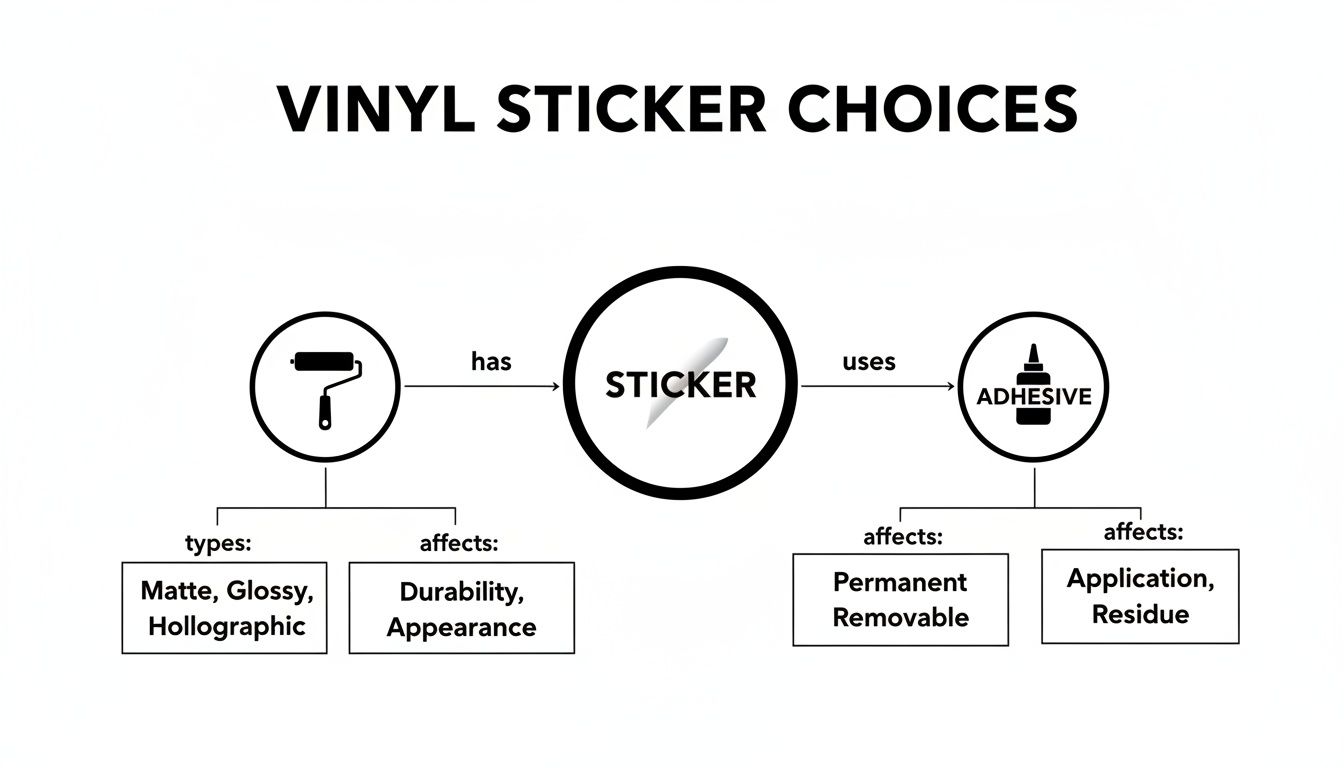
As you can see, the final product is a combination of your chosen material, finish, and adhesive, all working together to support a scannable and effective design.
Final Pre-Print Checklist
Before you hit "order" and send your design to the printer, run through this quick checklist. A few minutes of review now can save you the headache and cost of printing a batch of duds.
- Test, Test, and Test Again: Print your QR code on a regular piece of paper at the exact size you plan to order. Grab a few different phones (an iPhone and an Android) and use different scanning apps to make sure it works for everyone.
- Confirm the File Format: Double-check that you’re sending your printer a high-resolution vector file (SVG, EPS, or a print-quality PDF). This is your best defense against a blurry, unscannable final product.
- Check Your Link: Click the link! Make sure the URL or data baked into the code is correct and the destination page is working. If you're using this for business, it's smart to use a dynamic QR code, which lets you change the destination URL later without having to reprint all your stickers.
- Verify the Quiet Zone: Open your final design file one last time and confirm that the quiet zone is still there, untouched. Make sure no other design elements have accidentally been dragged over it.
Creative Ways to Use Your QR Code Stickers
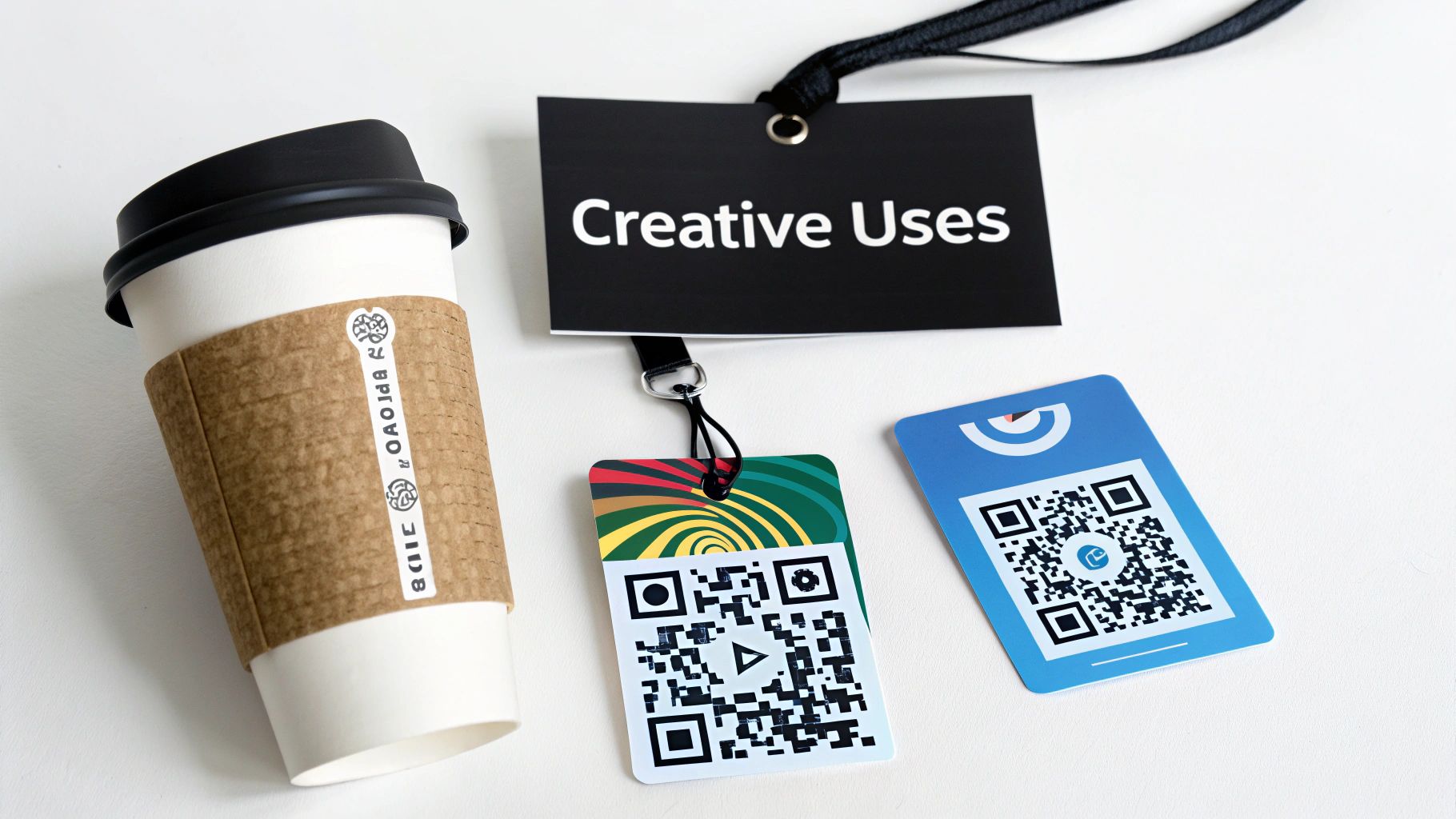
Okay, you've got the technical side down and your QR code is designed to be perfectly scannable. Now for the fun part: figuring out all the clever ways to put those QR code vinyl stickers to work. These aren't just for linking to your homepage; when you get creative, they become little powerhouses that solve problems, delight customers, and make your operations run smoother.
The real magic happens when you stop thinking of the sticker as just a link and start seeing it as a shortcut. It’s about putting the right information in the right place, at the exact moment someone needs it.
Transforming the Customer Experience in Retail
In retail, QR code stickers are the perfect way to connect your physical products with the vast world of online information. They can turn a casual browser into an engaged, informed buyer right there in the aisle.
Just picture it:
- On a Product Tag: A customer scans a sticker on a handcrafted leather bag and is immediately watching a "See How It's Made" video. This instantly builds a connection and justifies the price.
- On a Store Shelf: Next to a high-tech blender, a QR code pulls up a comparison chart, glowing customer reviews, and a detailed spec sheet. No more guessing.
- On Your Shop Window: A sticker lets passersby sign up for an exclusive discount, capturing their email even when you're closed for the night.
This approach brings your physical space to life, making it a far more dynamic and helpful environment.
Elevating Hospitality and Dining
Restaurants, bars, and cafes can get a huge boost in efficiency and engagement from QR code stickers. And no, I don't just mean for pulling up a digital menu. When placed thoughtfully, they can improve the entire dining experience, from ordering and payment to getting honest feedback.
Think about putting stickers here:
- On the Receipt Holder: A simple "How Was Your Visit?" QR code that opens a two-question feedback form. You'll get valuable insights right when the experience is fresh in their mind.
- On Coffee Cups or Takeout Bags: A scan-to-join loyalty program or a fun link to follow you on social media for a chance to be featured.
- On Table Tents: A code that tells the story behind a signature dish, maybe highlighting the local farm where the ingredients were sourced.
By weaving QR codes into the customer journey, you’re doing more than just speeding up service. You’re opening up new channels to build relationships and gather feedback that would otherwise be completely lost.
Engaging Attendees at Events and Venues
Events are all about making connections, and QR code vinyl stickers are the perfect tool to spark interaction. They can easily replace stacks of paper handouts and create a more streamlined, connected experience for every single attendee.
Here are a few powerful ways to use them at your next event:
- On Name Badges: A sticker linking to an attendee's LinkedIn profile turns a handshake into an instant, paperless connection.
- At Sponsor Booths: A code lets visitors download a company's brochure or enter a giveaway, even if the booth staff is busy with someone else.
- On Signage: A QR code on a session room sign can link directly to the speaker's presentation slides or a quick feedback survey.
This technology is fast becoming a standard for everything from marketing to industrial tagging. Market research shows that interactive stickers are a booming segment, largely because they're so versatile. And as sustainability becomes a bigger priority, many are looking for eco-friendly alternatives to traditional PVC vinyl. You can read the full research about these market trends to get a better sense of where things are headed.
These examples just scratch the surface. A well-placed QR code vinyl sticker is more than a gimmick—it's a practical problem-solver that improves customer interactions and delivers real, measurable results. Your imagination is truly the only limit.
Making Your Stickers Last: Application and Care
Even the toughest vinyl sticker is only as good as its application. The difference between a QR code vinyl sticker that looks great for years and one that peels off in a month really comes down to how well you stick it on.
Think of it like painting a wall—the real work happens in the prep, not just the final coat. A few extra minutes spent on a clean, careful application creates a solid, bubble-free bond. This protects your QR code from moisture and daily wear, keeping it scannable and your brand looking sharp for the long haul.
A Step-by-Step Guide for a Perfect Application
Applying a vinyl sticker isn't complicated, but it does require a bit of patience. If you rush it, you’re almost guaranteed to get bubbles, wrinkles, or a crooked sticker.
For a flawless finish every single time, just follow these steps:
- Prep the Surface: This is non-negotiable. Start by cleaning the spot with mild soap and water. Then, for the final and most important wipe-down, use a 50/50 mix of isopropyl alcohol and water. This gets rid of any oils or residue that can kill the adhesive.
- Make Sure It's Bone-Dry: Let the surface air-dry completely. Trapped moisture is the #1 enemy of a good stick, causing bubbles and adhesive failure down the road. A clean, lint-free microfiber cloth can help speed things up.
- Position with a Hinge: Before you even think about peeling the back off, place the sticker exactly where you want it. Use a piece of masking tape along the top edge to create a "hinge." This locks it in the perfect spot so it can't move.
- Squeegee It On: Lift the sticker up using your tape hinge, peel away the paper backing, and then slowly lower the sticker down. Grab a squeegee (a credit card works in a pinch) and apply firm, even pressure, working from the center out to the edges. This is what forces out air bubbles and makes the adhesive grip.
- Peel the Transfer Tape: If your sticker has a clear transfer tape over the top, peel it back slowly and at a sharp angle—almost flat against itself (180 degrees). If any part of the vinyl starts to lift, just lay the transfer tape back down, give it another firm press with the squeegee, and try again.
Pro Tip: The squeegee isn't just for pushing out bubbles. It's for activating the pressure-sensitive adhesive. You need those firm, overlapping strokes to create the strongest possible bond between the vinyl and the surface.
Keeping Your Stickers in Top Shape
Once your sticker is on, a little care goes a long way. Vinyl is tough, but you can still damage it with harsh chemicals or abrasive cleaning, which can make your QR code un-scannable over time.
To keep your stickers looking good and working properly, just remember a few things:
- Clean Gently: When the surface needs a wipe-down, stick to a soft cloth with simple soap and water. Stay away from abrasive sponges, pressure washers, or harsh chemicals like bleach. These will fade the ink and break down the vinyl.
- Watch Out for Abrasion: If you're putting stickers on high-traffic spots like service counters or equipment, try to place them where they won't get constantly rubbed or bumped.
- Keep an Eye on the Edges: Every once in a while, just check the edges of the sticker. If you see a corner starting to lift, press it back down firmly. Catching it early stops a small problem from becoming a big one.
How Long Will They Really Last?
The lifespan of your QR code vinyl stickers really comes down to where they live. A sticker on an indoor product display is going to have a much easier life than one on an outdoor sign getting baked by the sun.
Here’s a realistic idea of what you can expect:
- Indoor Use: When it’s safe from UV light and the weather, a quality vinyl sticker can easily last 5 to 7 years, sometimes even longer, without any fading or peeling.
- Outdoor Use: For stickers out in the elements, you can realistically expect 3 to 5 years of life. This is where UV-resistant laminates are an absolute must, as direct sunlight is the biggest culprit for fading and wear.
It all starts with picking the right material for the job, but following these application and care tips is what truly gets you the most mileage out of your investment.
Tracking Your Success with QR Code Analytics
Putting a QR code vinyl sticker on your product or at your shop is a great start, but it's really just the beginning. The real magic happens when you start measuring what people do with it. This brings us to a critical fork in the road: static vs. dynamic QR codes. Only one of these paths leads to the data you need to see what's working.
Think of a static QR code like a permanent tattoo. The final URL is baked directly into the design. Once it’s printed, that’s it—you can't change it. It’ll work forever (as long as the link doesn’t break), but it’s a black box. You’ll have no idea if five people or five thousand people ever scanned it.
A dynamic QR code is the smarter, more flexible option. It doesn't point directly to your website. Instead, it points to a special, short redirect link that then sends the user to your final destination page. Because every scan passes through that middle-man service, you can track every single interaction. Better yet, you can even change where the code points later on without having to reprint a single sticker.
What Key Metrics Can You Track?
When you use dynamic QR codes, your stickers transform from a simple link into a powerful source of real-world feedback. The data you get tells a story about how, when, and where people are connecting with you.
Here's what you can actually see:
- Total Scans: This is your big-picture number. It shows you exactly how many times the code has been scanned, giving you a baseline for its visibility and appeal.
- Unique Scans: This metric is more nuanced. It tells you how many individual devices scanned your code, filtering out the repeats. If your total scans are high but unique scans are low, it might just be a few super-fans scanning over and over.
- Scan Location: Get a map view showing which cities or countries your scans are coming from. For any business trying to understand its geographic footprint, this is pure gold.
- Time of Day: Find out when people are most likely to scan your code. A coffee shop, for instance, might see a huge spike in scans from their cup stickers during the morning rush.
These aren't just abstract numbers—they're direct clues about your customer's behavior. They show you patterns that you can use to make your next campaign even better, swapping guesswork for a strategy backed by real data.
Turning Data into Action with A/B Testing
Once you have the data, you can start making smarter moves. Dynamic QR codes are perfect for running simple A/B tests to figure out what your audience actually wants.
It’s easier than it sounds. You could put two different QR code vinyl stickers in similar spots, but change up the offer. Sticker A might say, "Scan for 10% Off," while Sticker B says, "Scan to See Our New Menu."
After a week, you just check the analytics. Whichever one got more scans is your winner. This simple loop of testing, measuring, and refining is how your humble stickers become a serious tool for growth.
Got Questions? We've Got Answers
Even after walking through the whole process, a few specific questions always pop up when it's time to actually print your QR code vinyl stickers. Let's tackle the most common ones so you can move forward with total confidence.
Can I Put My Logo Inside a QR Code Sticker?
Yes, you definitely can, and it's a fantastic branding move! But there's a trick to making sure it still scans properly.
When you generate your QR code, you need to crank up the error correction setting. Choose Level H (for "High"). This tells the code to use about 30% of its data as a backup, essentially making it tough enough to handle having a piece—your logo—blocking the center. Once you have the design, test it like crazy with different phones and apps before you print a single sticker.
What Are the Best Colors for a QR Code Sticker?
When it comes to colors, one thing matters more than anything else: contrast.
The gold standard, without a doubt, is a black code on a white background. It’s the cleanest, sharpest combination for a phone’s camera to lock onto. You can get creative with other dark-on-light pairs, but steer clear of anything low-contrast, like yellow on white. Also, be careful with "inverted" codes (a light code on a dark background). Some older scanning apps still can't read them.
Key Takeaway: With QR codes, function always beats fashion. A simple black-and-white design might not feel flashy, but its near-perfect scannability means more people can actually use it. That's a win for any business.
Do QR Codes on Vinyl Stickers Expire?
This is a great question, and the answer depends entirely on how you create the code. There are two flavors, and knowing the difference is key.
- Static QR Codes: Think of these as a permanent, direct link. The code itself never expires and will keep working as long as the website it points to is live. The catch? You can't change the link or track any data once it's printed.
- Dynamic QR Codes: These are the smarter choice for almost any business. They point to a special, short URL that you control. While the code itself doesn't expire, your subscription to the service that manages it might. The huge benefit here is that you can track analytics (how many people scanned it, where, and when) and even change the destination link whenever you want without reprinting a thing.
Ready to create durable, scannable stickers that connect with your customers? The team at QR Code Stickers Blog provides expert guides and practical tips to turn your ideas into effective marketing tools. Start exploring our resources today at https://blog.qrcodestickers.net to master your next project.